


Tinyview Comics
4.8120.00 Reviews
App Specs
- Version
- 11.7.542
- Updated On
- License
- Free
- Downloads
- 100,000+
- Developer
- Newput Inc.
- Categories
- Comics
- Platform
- Android, iOS
Screenshots

 Analysis by AppCompare
I’d treat Tinyview as a quick reading stop rather than a full-length comics library. The appeal is the ease of dipping into short-form comics when I have a spare moment: a few panels can fit between errands, during a quiet break, or at the end of the day when I don’t want to commit to a long story. If that kind of reading suits you, Tinyview Comics is an approachable place to begin.
What to expect from a bite-sized comics app
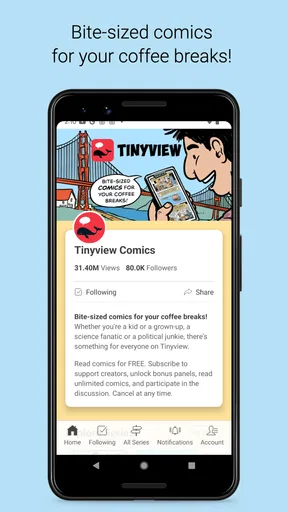
Tinyview Comics is a free comics app from Newput Inc., with a Teen content rating. Its focus is short, phone-friendly reading, so I’d go in expecting individual comic experiences rather than the deep, book-by-book browsing you might get from a digital bookstore. The difference matters: it works best when you want a small, complete moment of entertainment, not when you’re trying to collect a particular volume or follow a long serialized plot.
The app has a 4.7 average from around 2.9 thousand ratings, and it has passed 100 thousand installs. Those figures suggest that plenty of readers have found a reason to keep it around, but they don’t tell you whether its humor or range will match your taste. I’d use the first few visits to sample different strips rather than deciding from a single comic.
That sampling approach is especially useful if you’re used to social feeds. A feed can mix comics with unrelated posts and distractions; a comics-focused app gives the reading itself more room. On the other hand, readers who want extensive publisher catalogs, familiar superhero runs, or carefully organized graphic novels may be happier with a dedicated digital comic shop. Tinyview’s strength is the lighter, shorter visit.
Getting started without overthinking it
After installing it, I’d start by browsing rather than trying to build a perfect reading setup. The app’s current version is 11.0.532, and it supports Android 7.0 and up. Once you open the collection, look for a strip that sounds appealing and read it all the way through; that gives you a better feel for the pacing and tone than scrolling past thumbnails.
Because the app is free to install, there’s little commitment in trying it. It also offers in-app purchases from $0.99 to $19.99 per item, so I’d check what an individual purchase covers before spending. A useful first-session rule is to enjoy the free reading experience first, then decide whether any paid option would genuinely add something you want. That keeps the app’s optional spending separate from the basic decision of whether you like its comics.
For a first meaningful success, choose one strip you enjoyed and make a simple habit of returning to it or exploring its creator’s other work. Short comics are easy to forget when you encounter them in a long stream; deliberately revisiting a favorite helps you learn whether Tinyview has enough ongoing appeal for your routine. If you’re setting it up for a teen, the Teen rating is a useful starting point, though I’d still consider the individual comic’s tone and subject matter.
Worth Reading Before You Choose

Flipboard Shows What News Apps Must Do Beyond the Feed

Switching to Android Auto Means Rethinking Your Driving Routine

Google Calendar Makes a Crowded Week Easier to Manage

Ludo King Makes the Most of the Minutes Between Plans

Baby Panda World Brings Quick Play to Modern Phones, but Its Game Library Feels Busy

ESPN’s Live Game View Makes Following Close Games Easier
A practical way to fit it into the day
Imagine you’re waiting for a friend at a café and have a few spare minutes. Rather than opening a video that may take longer than the wait, you can read a short comic, decide whether its style works for you, and put your phone away when your friend arrives. That small, natural stopping point is a real advantage of bite-sized reading: you don’t need to remember where you were in a complicated plot.
I’d also use short comics as a low-effort alternative to endless scrolling, but with one caveat: any app can become another place to spend time if you keep moving from one item to the next. If you want a brief break, choose a strip or a short browsing session before opening the app. That gives the format a purpose instead of letting a quick visit turn into an unplanned chunk of screen time.
Compared with printed newspaper strips, a phone app is easier to carry and browse in odd moments, but it loses the tactile feel and familiar page layout of print. Compared with general social platforms, a comics app can make it easier to stay focused on illustrated work, although social feeds may offer more kinds of content and a wider range of ways to follow people. The better choice depends on whether you want comics to be the point of the visit or just one part of a broader feed.
Comic Strips at Your Fingertips
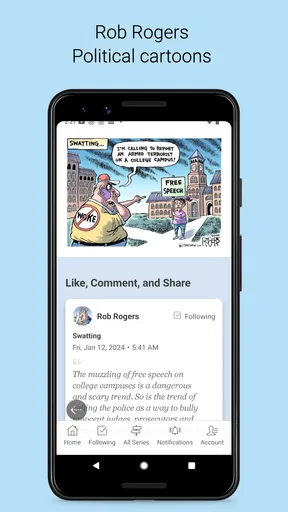
First off, let’s talk about accessibility. Tinyview Comics brings a vast array of comic strips right to your smartphone. Gone are the days of flipping through dusty old newspapers or haunting the comic aisle at your local bookstore. Instead, with just a few taps, you can dive into a world of humor, satire, and storytelling anywhere, anytime.
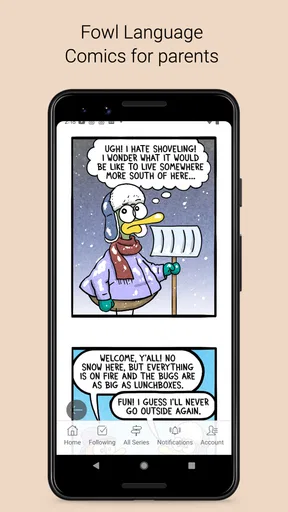
The app’s interface is as smooth as butter. Seriously, navigating through the collection of comics is a breeze. You can easily swipe through different strips, and the images are crystal clear, making sure you catch every detail and punchline. I was particularly impressed by how intuitive the design felt. Even if you’re not the most tech-savvy person, you’ll find yourself right at home.
Variety That Keeps You Hooked
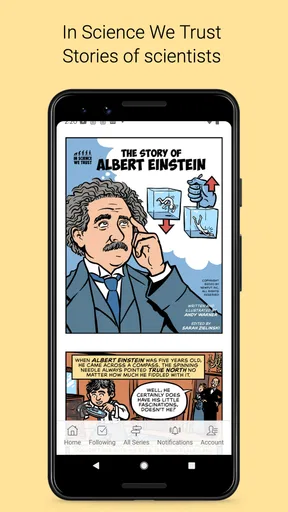
Now, let’s get into the meat of the app—its content. The variety of comics here is truly impressive. Whether you're into classic humor or more niche genres, there's a strip waiting for you. Some of my personal favorites included quirky takes on everyday life and those strips that cleverly intertwine humor with a bit of social commentary.
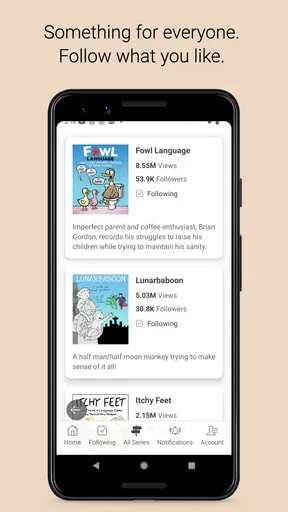
One of the most engaging features is the way comics are categorized. You can explore different genres or follow your favorite artists. Plus, the app keeps updating with new content regularly. So, you’re never really out of fresh material to enjoy. I found myself eagerly checking back for the latest updates, almost like waiting for the next episode of your favorite TV show.
Supporting Artists
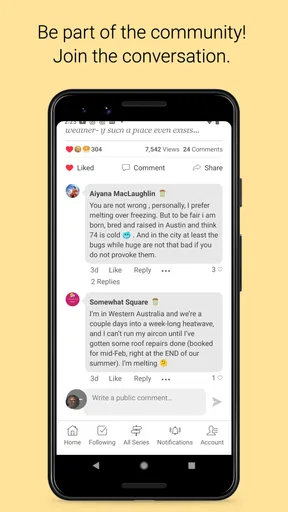
Another aspect worth mentioning is how Tinyview Comics supports comic artists. The app provides a platform for both well-known and emerging artists to showcase their work. As a user, you have the opportunity to directly support your favorite creators, which is pretty awesome if you ask me. It feels good to know that your engagement can help artists continue to produce the content you love.
The app even allows you to interact with the creators, offering a glimpse into the creative process behind your favorite strips. This feature adds a personal touch, making the experience more than just passive reading.
User-Friendly Features
Let’s not forget the user-friendly features that make the overall experience enjoyable. You can bookmark your favorite comics, create custom reading lists, and even share strips with friends. It’s these little touches that make the app feel complete and tailored to comic enthusiasts.
And for those of us who love a good laugh before bedtime, there's a night mode to make late-night reading easy on the eyes. Trust me, you’ll appreciate this after you've spent an entire evening chuckling at your screen.
Final Thoughts
So, is Tinyview Comics worth downloading? Absolutely. Whether you're a lifelong comic fan or just looking for something to brighten your day, this app is a treasure trove of entertainment. The combination of variety, ease of use, and artist support makes it a standout in the world of digital comics.
Don’t just take my word for it; dive in and explore the whimsical world of comics yourself. Who knows, you might just discover your new favorite comic strip!
So go ahead, give it a try and let the adventures begin!
Make your next visit easier
Once you’ve found a comic you want to return to, bookmarking it or adding it to a reading list can save you from trying to remember its title later. I find this more useful than saving every strip that makes me smile: keep the list selective, and it stays a handy personal shelf rather than another backlog to manage. Sharing a favorite is also a natural way to introduce the app to a friend, especially when a single strip makes sense without a long explanation.
Following artists is a different kind of shortcut. If one creator’s voice clicks with you, following their work can make future browsing feel more intentional than starting from scratch each time. I’d still leave room to explore beyond familiar names; the pleasure of a comics collection is partly the chance of finding an unfamiliar style that suits your mood. A practical balance is to revisit a few favorites while occasionally sampling something outside your usual lane.
Where the experience may not fit
The short format is also the main trade-off. A reader who wants long arcs, substantial world-building, or a complete graphic novel may find individual strips too slight, even when the writing is sharp. In that case, a library or comics storefront built around volumes is a better match. Likewise, if you mainly want a paper collection to keep, lend, or read away from a screen, printed books have advantages a phone app cannot replace.
Taste is another consideration. Humor and social commentary can be personal, and a large selection doesn’t guarantee that every strip will land for you. I’d give the app a fair try by sampling a few different creators and styles before judging it, but I wouldn’t force myself to keep browsing if the tone consistently misses. The strongest reason to keep it installed is that you enjoy returning to particular comics, not simply that there is always more to tap.
For younger readers, the Teen rating offers a broad age signal, not a substitute for choosing content thoughtfully. If you’re sharing the app with a teen, browse together at first and discuss which themes feel appropriate. That is more useful than assuming every comic in a broad collection has the same tone just because it sits inside one app.
My recommendation for a first-time reader
I’d recommend Tinyview to someone who likes cartoons, short humor, or compact illustrated commentary and wants an easy reading option on a phone. It can suit a commute break, a quiet moment before bed, or a quick shared laugh with a friend. It is less compelling for readers who need a specific publisher’s back catalog, want a long continuous story, or prefer to avoid reading on a screen.
My best advice is to start with curiosity, not a checklist: browse a little, read a complete strip, and save only the work you honestly want to revisit. If that first small session leaves you interested in another creator or another visit, the app has already done what I’d want from a bite-sized comics reader. Its free entry point makes that trial simple, while the optional purchases are something to consider only after you know what you value.
Pros
- User-friendly interface and easy navigation.
- Regular updates with new comic strips.
- Option to save favorites for offline reading.
- High-quality artwork enhances the experience.
- Variety of genres to suit different tastes.
Cons
- Limited free content; subscription needed for full access.
- Occasional app crashes on older devices.
- No option to create custom playlists of comics.
- Some comics may not be suitable for all ages.
- Requires internet connection for most features.
FAQs for Tinyview Comics
What is Tinyview Comics and how does it work?
Tinyview Comics is a mobile application that provides a vast collection of digital comics, catering to a variety of genres and interests. Users can browse through a curated selection of comics, subscribe to their favorite series, and receive updates when new issues are released. The app offers a user-friendly interface, making it easy to read and discover new content.
Is Tinyview Comics free to use, or does it require a subscription?
Tinyview Comics offers both free and subscription-based content. While many comics are available for free, a premium subscription unlocks additional features and exclusive series. The subscription model typically provides ad-free reading, early access to new releases, and other perks that enhance the overall user experience.
Can I read comics offline with Tinyview Comics?
Yes, Tinyview Comics allows users to download comics for offline reading. This feature is particularly useful for those who wish to enjoy their favorite comics without an internet connection, such as during travel. Simply download the issues you want while connected, and access them anytime, anywhere.
What types of comics are available on Tinyview Comics?
Tinyview Comics offers a diverse range of genres, including action, romance, fantasy, comedy, and more. The app regularly updates its library with new titles and episodes, ensuring that readers have access to both classic favorites and the latest releases. Whether you're into superhero adventures or slice-of-life stories, there's something for everyone.
How does Tinyview Comics support creators?
Tinyview Comics collaborates with a wide array of artists and writers, providing them a platform to showcase their work. The app supports creators by sharing a portion of subscription and ad revenues, which helps sustain and motivate them to produce more quality content. This partnership fosters a vibrant creative community within the app.


